
Deposit Receipt Information Entry Guide
BBAE
· 2 min read ·
1. Introduction
To ensure your funds are credited smoothly and promptly, please refer to the page instructions to upload your deposit receipt and fill in the required information accurately based on the actual details shown on your bank receipt.
Why do you need to fill in this information?
- Manual review basis – The information you provide will be matched against the bank transfer data we receive, ensuring the funds are correctly credited to your account.
- Compliance requirements – U.S. financial regulators require brokers to record and verify the source of funds.
2. Step-by-Step Instructions
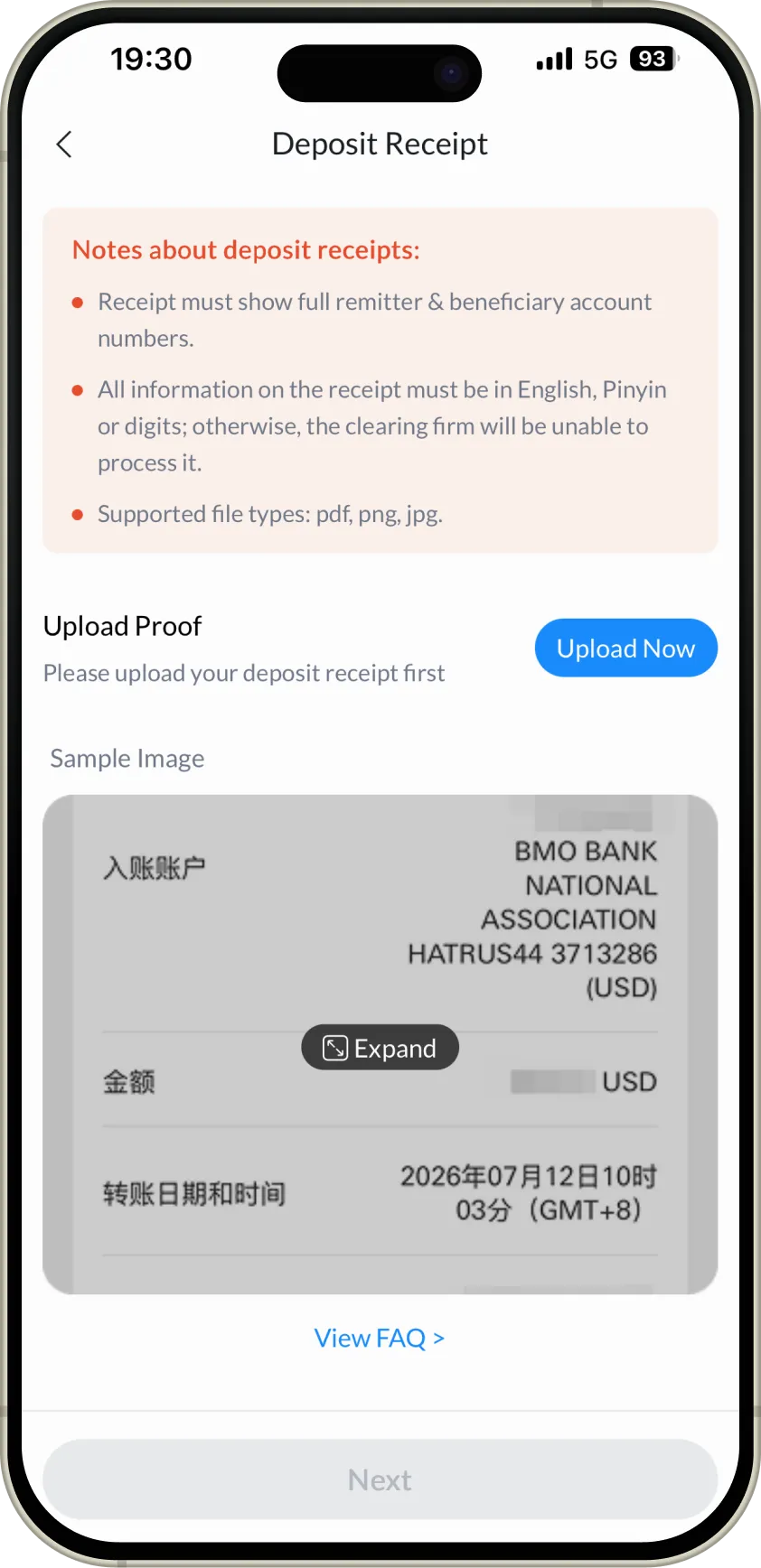
Step 1: Access the Entry Page
Go to the deposit receipt upload page, click “Upload Now” and upload your deposit receipt.
Step 2: Complete Each Field
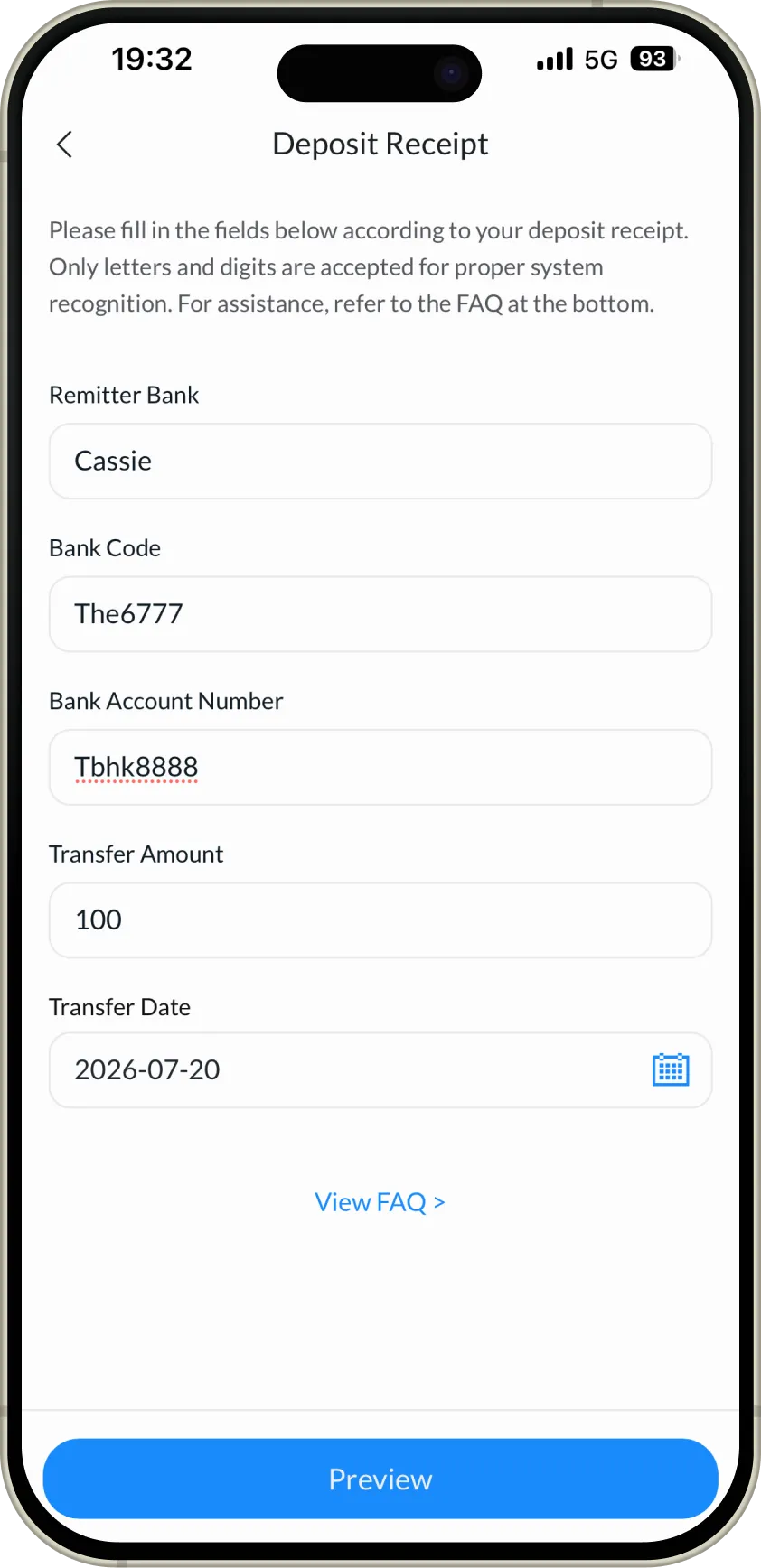
Refer to your bank deposit receipt and fill in the following details in order.
Field Descriptions:
Transfer From
- Enter your remitting bank name or the remitter’s name.
Bank Code
- Enter the identification code of the remitting bank.
Bank Account Number
- Enter your remitting bank account number.
Transfer Amount
- Enter the actual amount you transferred.
Transfer Date
- Select the date on which you initiated the transfer at the bank.
Step 3: Preview and Submit
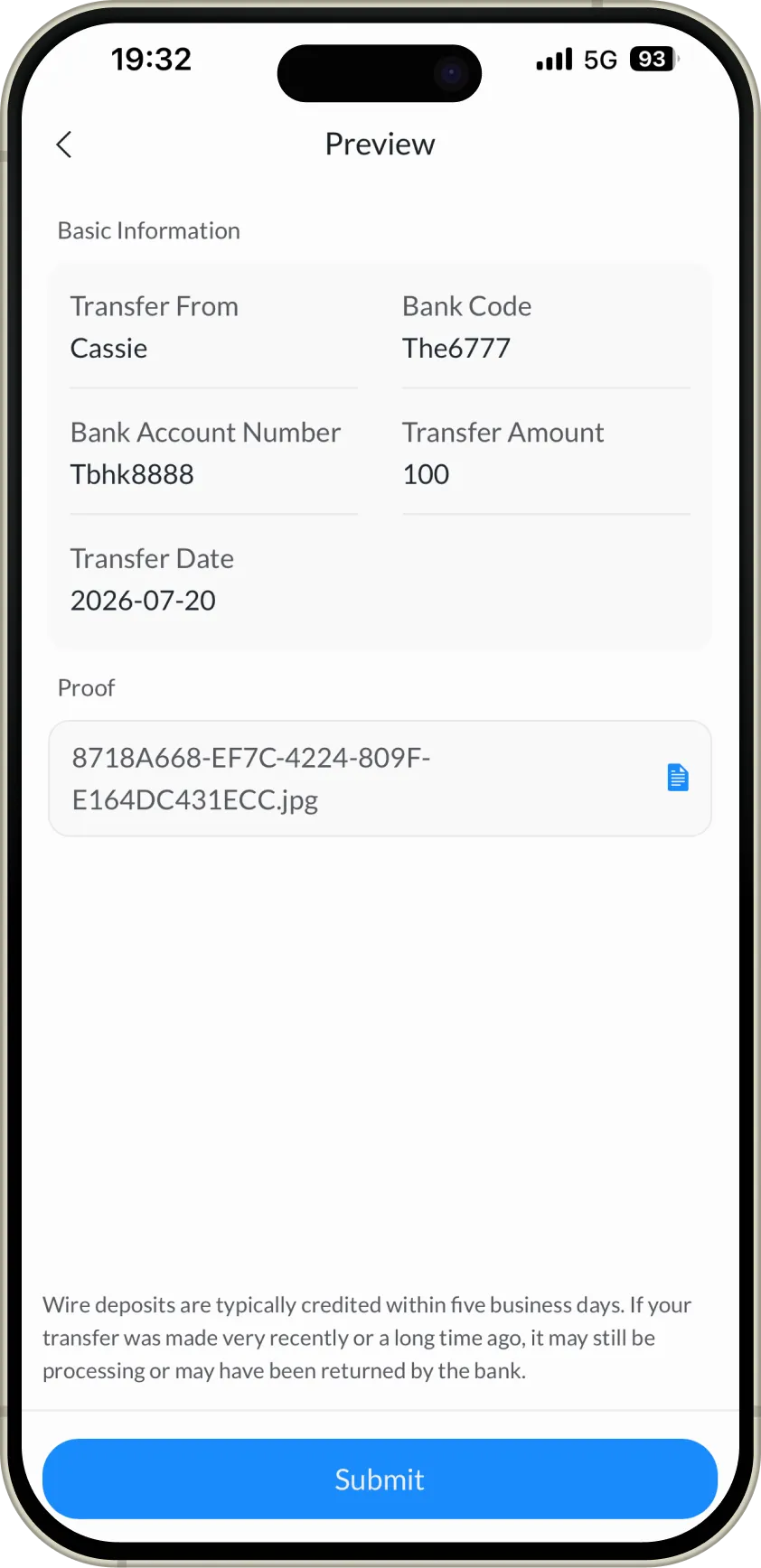
After completing the entries, tap the Preview button at the bottom to verify your information. Once confirmed, tap Submit and wait for review.
Step 4: Await Crediting
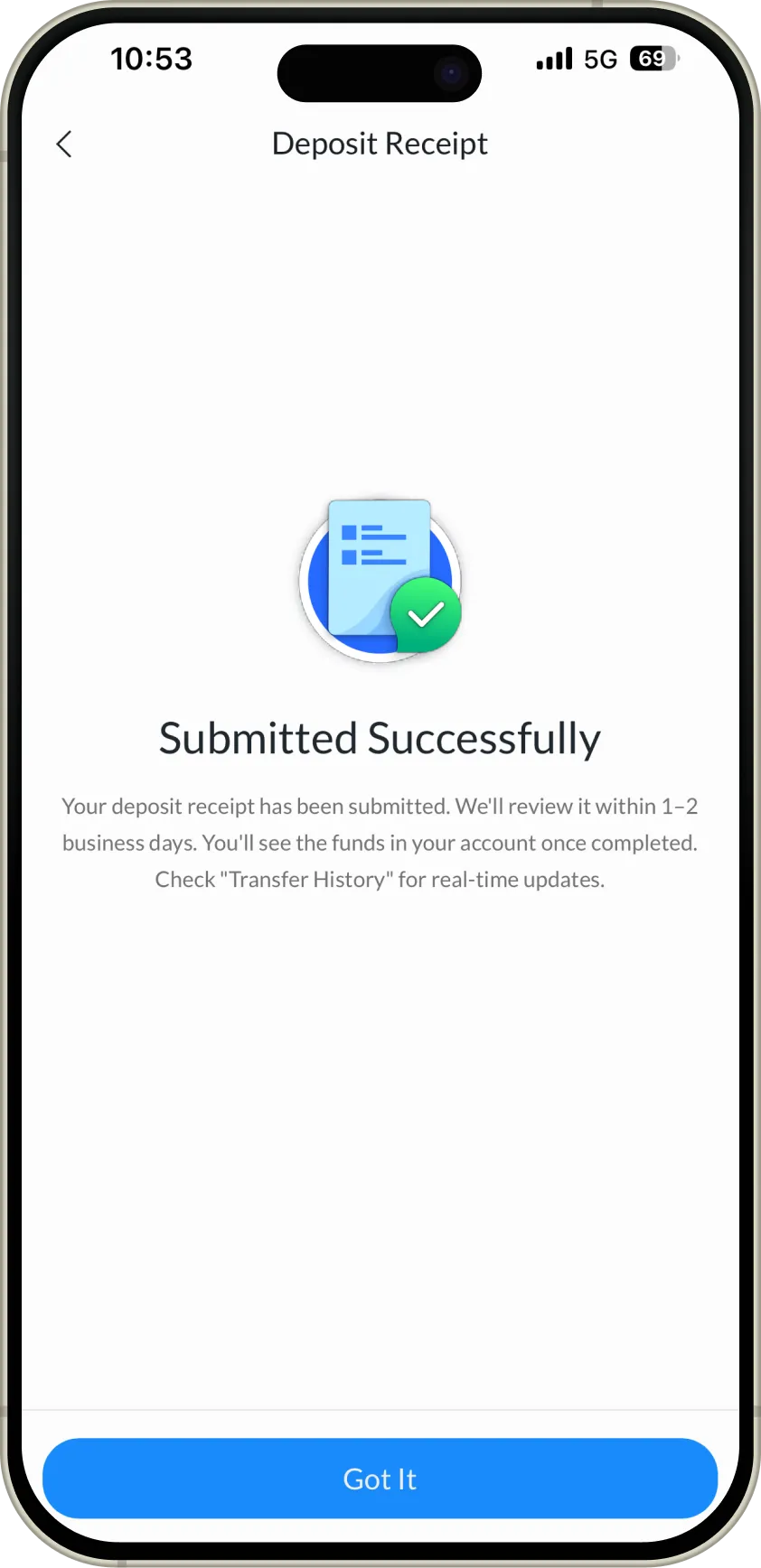
After submission, we will complete the review within 1–2 business days. Upon approval, the funds will be credited to your account.
3. FAQ
Q1: Why can I only enter letters and numbers? Can’t I enter symbols?
A: Yes. Our reconciliation system only supports recognition of standard English/Pinyin and numeric characters. Special symbols (such as commas, hyphens, and parentheses) will prevent the system from accurately matching your transfer information, which may delay the crediting process.
Q2: I used the Chinese bank name when making the transfer. What should I enter here?
A: You may enter the name in Pinyin.
Q3: For the Bank Code, should I enter the Routing Number or SWIFT/BIC?
A:
- If you made the transfer through a U.S. domestic banks (e.g., Chase, Bank of America), please enter the Routing Number (9-digit number).
- If you have made the transfer through a bank outside the U.S., please enter the SWIFT/BIC Code (8–11 alphanumeric characters).
- This information can be found on your bank remittance receipt, or you may inquire with your bank.
Q4: My account number contains a hyphen (e.g., 12345-6789). Should I enter it?
A: No. Please enter only the numeric portion, omitting all symbols.
Q5: Do I need to enter commas to separate digits in the deposit amount?
A: No. Enter only the digits to avoid formatting errors.
Q6: Can I make changes if I entered something incorrectly?
A: You may make changes at any time before clicking the Submit button. If you need to make changes after submission, please contact customer service.
Q7: How long will it take for my funds to be credited after submission?
A: Within 1–2 business days after successful submission, our team will complete the manual reconciliation. Upon approval, the funds will be credited to your account in real time.
Q8: What should I do if my remittance has not been credited after more than five business days?
A: Please contact the remitting bank first to check the status of the transaction and confirm whether the payment has been returned. If the funds have been returned, you may initiate a new transfer. For further assistance, please contact us.